Coming from QuickBooks? See what you’d save and how the switch works →
LedgerBarn
Small Business Edition

Bookkeeping and payroll software for a small business — in your own name.

Customers, estimates, invoices, and statements. Bills, bank matching, and reconcile. Payroll that is right to the cent for North Carolina, Virginia, Texas, Florida, South Dakota and Michigan employers. One flat price, every employee included, and your data in one file whenever you want it.

Cent-verified 2026 taxesYour data stays yoursNo card to start
Everything, in one login

The books, the invoices, and the payroll, finally together.

Most small businesses invoice in one app, keep books in another, and pay a third one a fee per employee for payroll. LedgerBarn is all three, on one set of books, for one flat price.

Getting paid

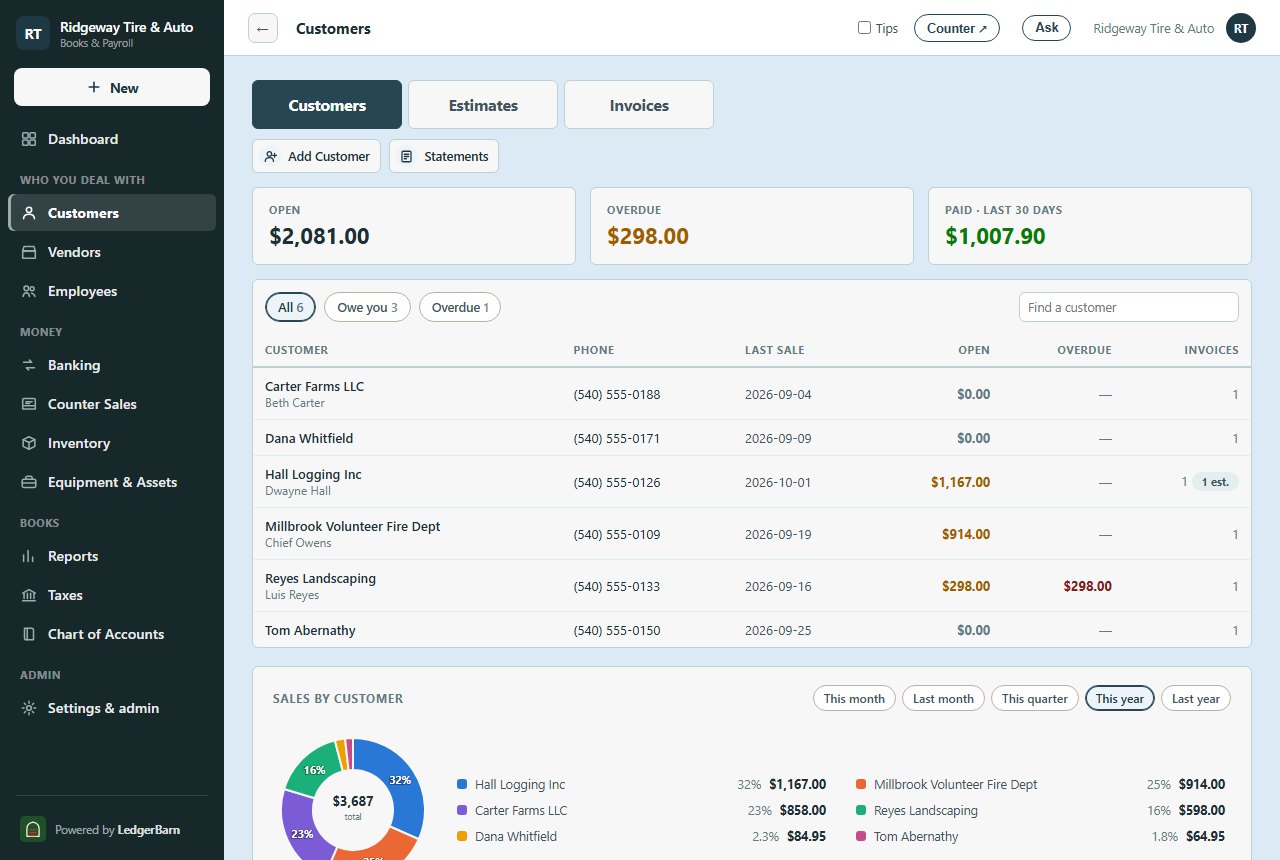
Customers, with the whole story

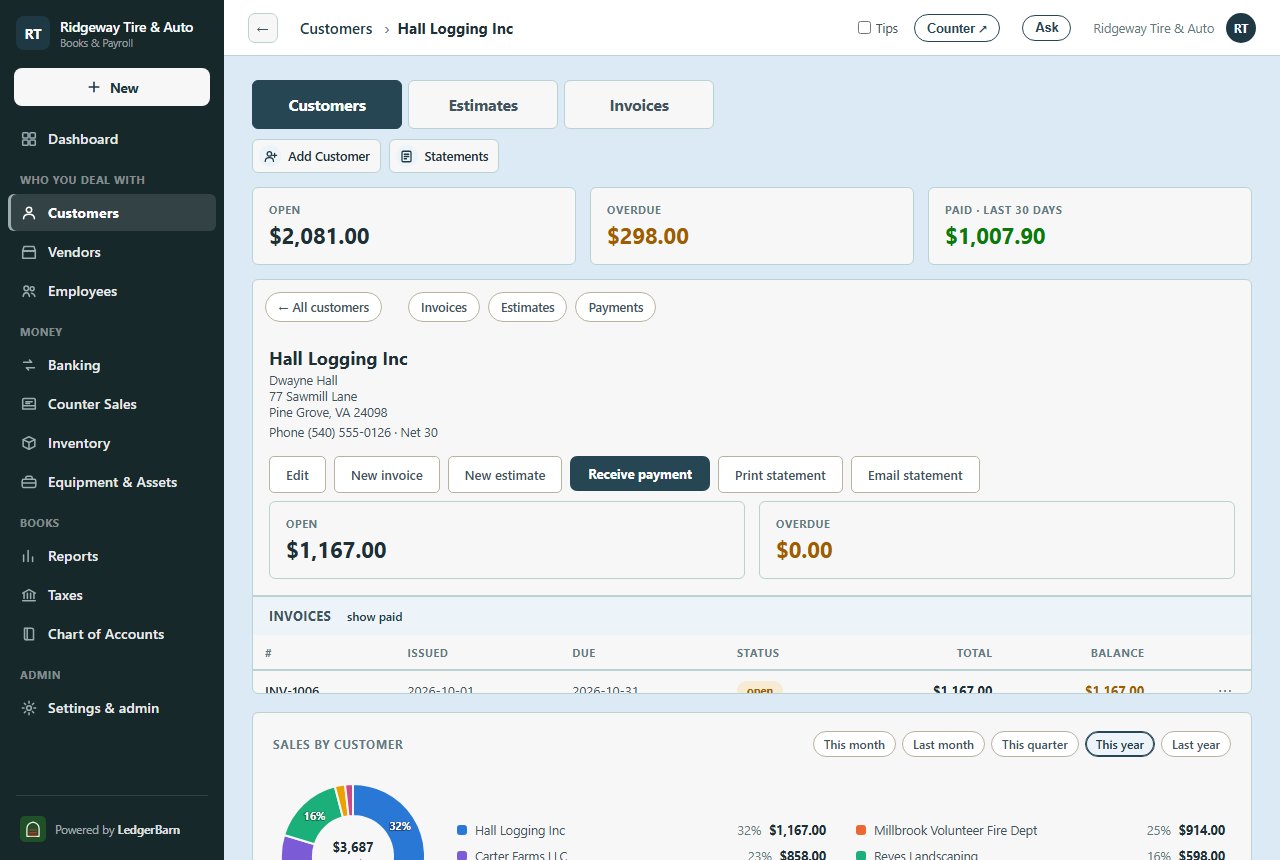
Every customer on one page: contact, address, terms, tax-exempt numbers, and their invoices, estimates, and payments underneath.

Estimates that become invoices

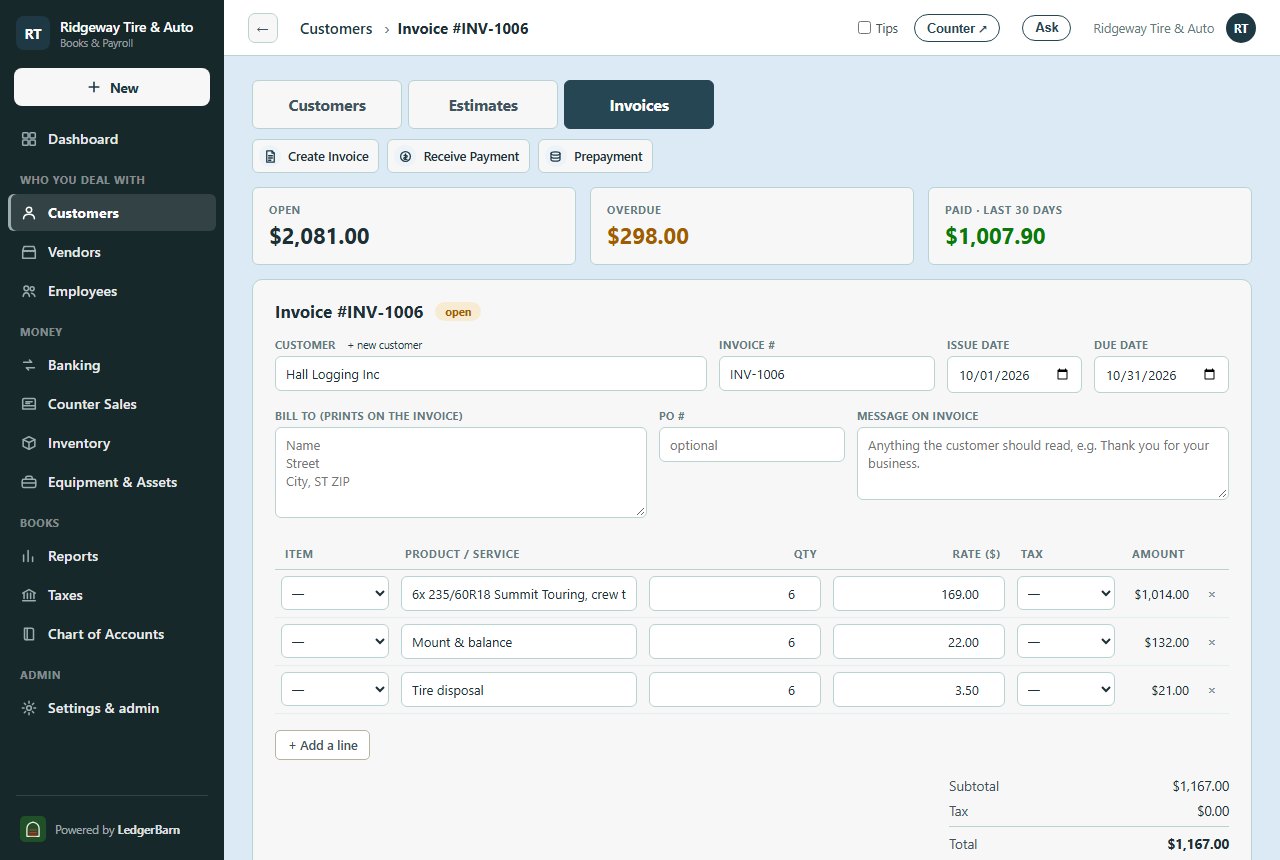
Write an estimate, send it, and turn it into an invoice with one click when the job is approved. Nothing retyped.

Invoices that go out and get paid

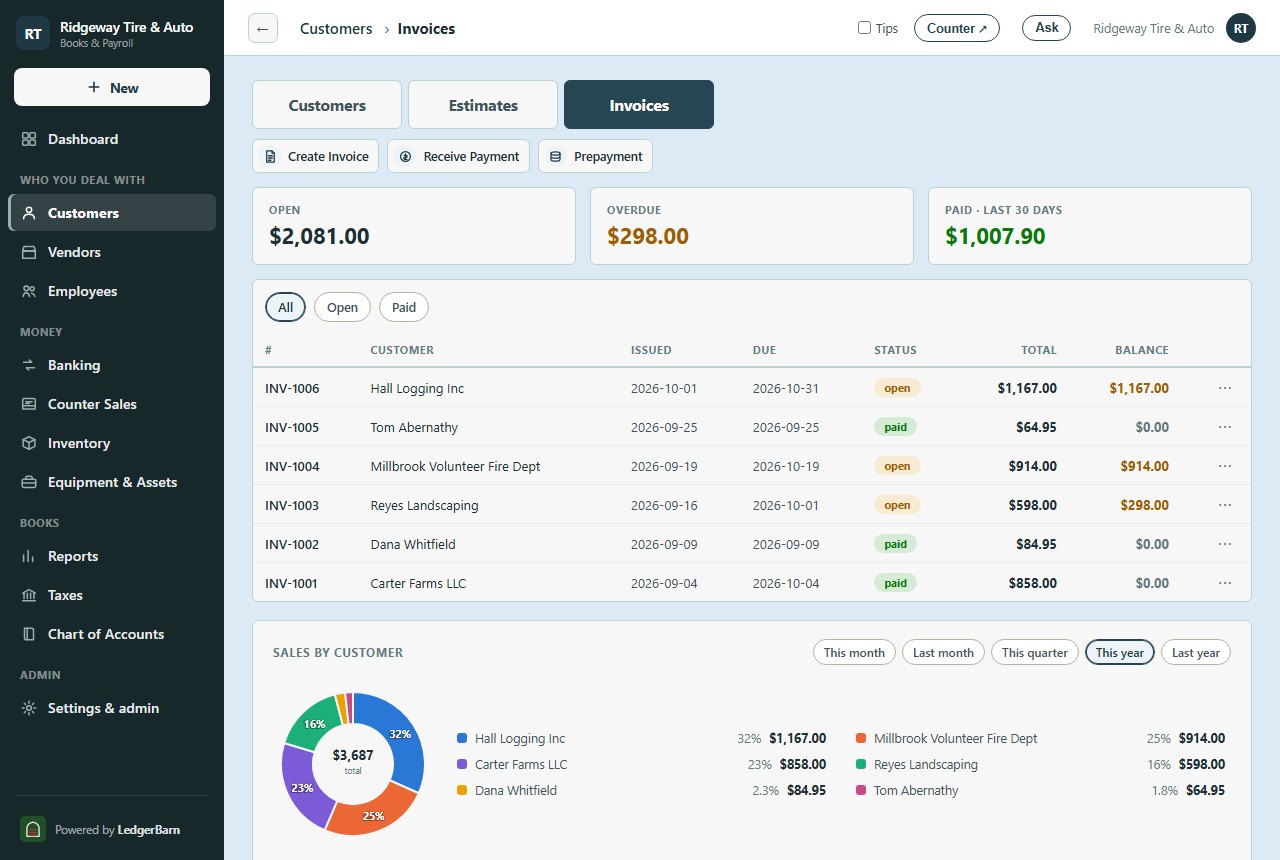
Print, email, or text an invoice with a link to view it; receive payments against the oldest first; print or email a statement to anyone behind.

Counter sales and deposits

Ring up an over-the-counter sale, hold the day’s cash, checks, and cards in undeposited funds, and make one deposit slip that matches the bank to the penny.

Keeping the books

A register you already know

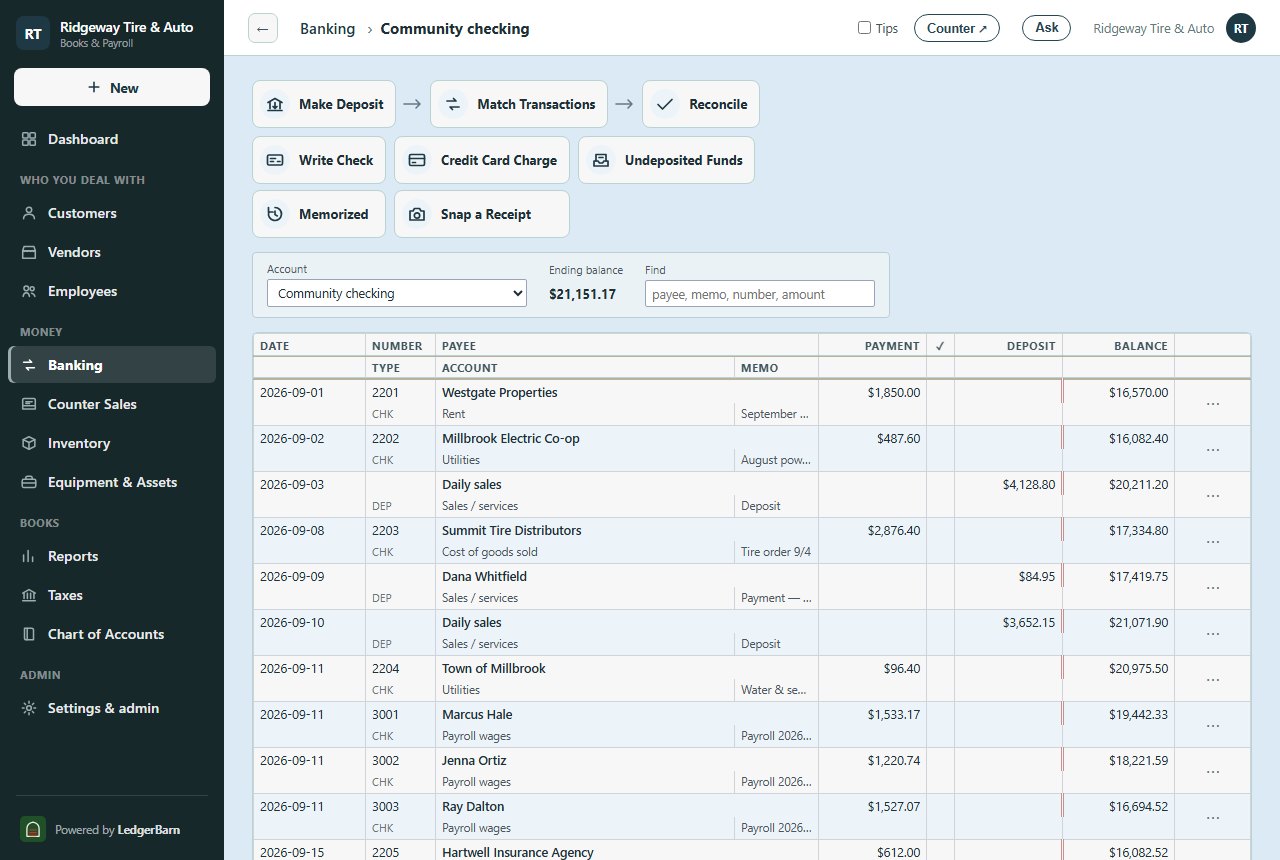
A checkbook-style register per account, with check printing, splits, memorized transactions, and a running balance; the same words QuickBooks Desktop uses.

Bank feeds and reconcile

Import your bank or card statement, match what you already entered, add what you missed, and reconcile to the statement’s ending balance.

Bills and vendors

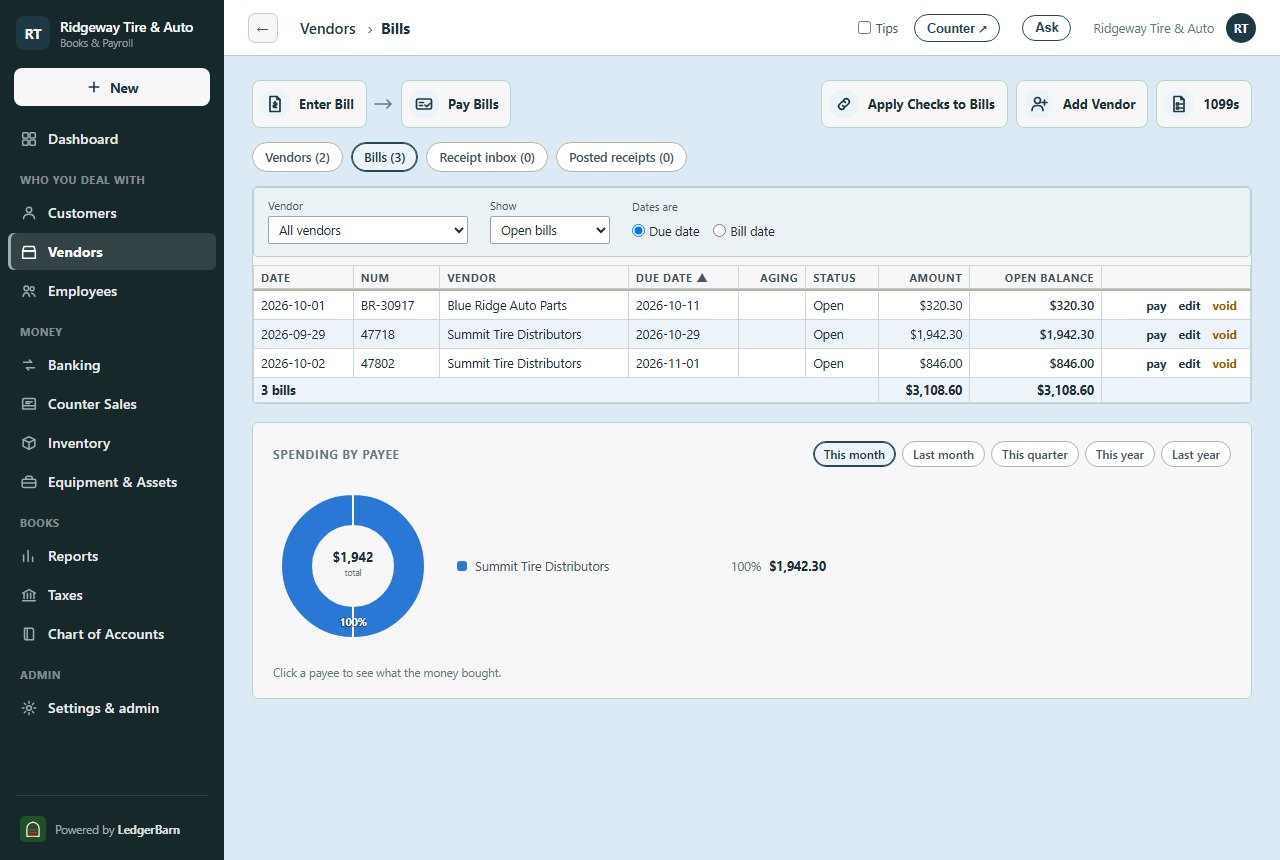
Enter bills as they come in, pay them when due, and apply the checks you already wrote to the bills they covered. 1099 contractors flagged for year end.

Sales tax and receipts

Sales tax by code with a return worksheet; snap a photo of a receipt and it finds the charge it belongs to; a credit card with cardholder cards that reconciles as one statement.

Ask, and it answers

A built-in assistant for your books

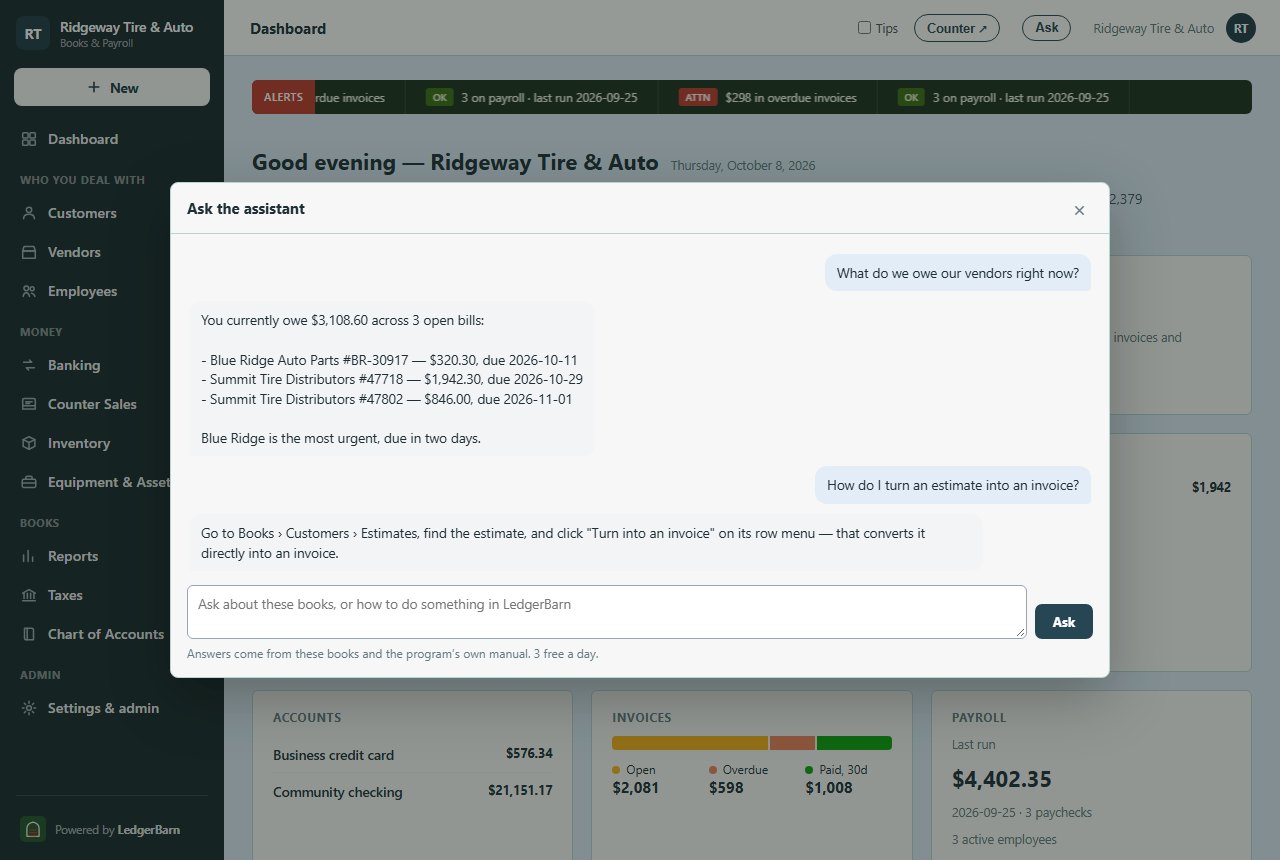
Ask in plain words: "What do we owe our vendors?", "Who are my biggest customers this year?", "How much is in checking?" It reads your own books and answers to the cent, and it can only read, never change anything.

…and for the program itself

Ask "How do I record a deposit?" or "Where do I turn an estimate into an invoice?" and it names the exact screen and button, from a manual built from the program itself. If LedgerBarn does not do something, it says so instead of guessing.

Your manuals and labels, too

Upload equipment manuals, parts lists, labels, spec sheets, contracts, or a photo of a spec plate. The assistant reads every page, pictures and tables included, and answers "what oil filter does this take?" with the part number and the page it came from.

Included

The assistant comes with every plan: up to 600 questions and 1,000 pages of manual reading a month, no add-on.

Paying people

Payroll that’s right to the cent

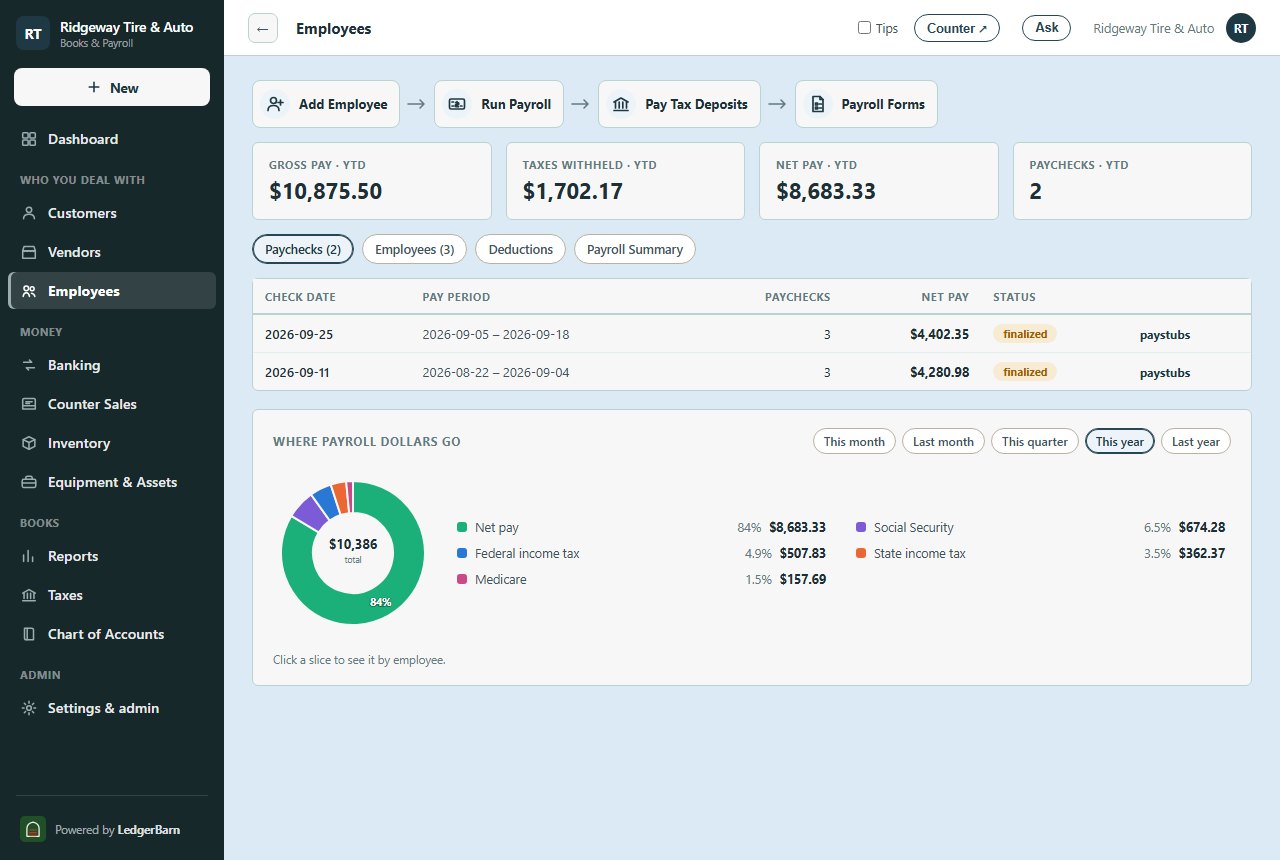
A 2026 federal + NC/VA/TX/FL/SD/MI engine, cent-verified against an independent payroll reference: W-4 steps, pre-tax deductions, garnishments, overtime, hourly or salaried. Flat price, every employee included.

Payroll liabilities, handled

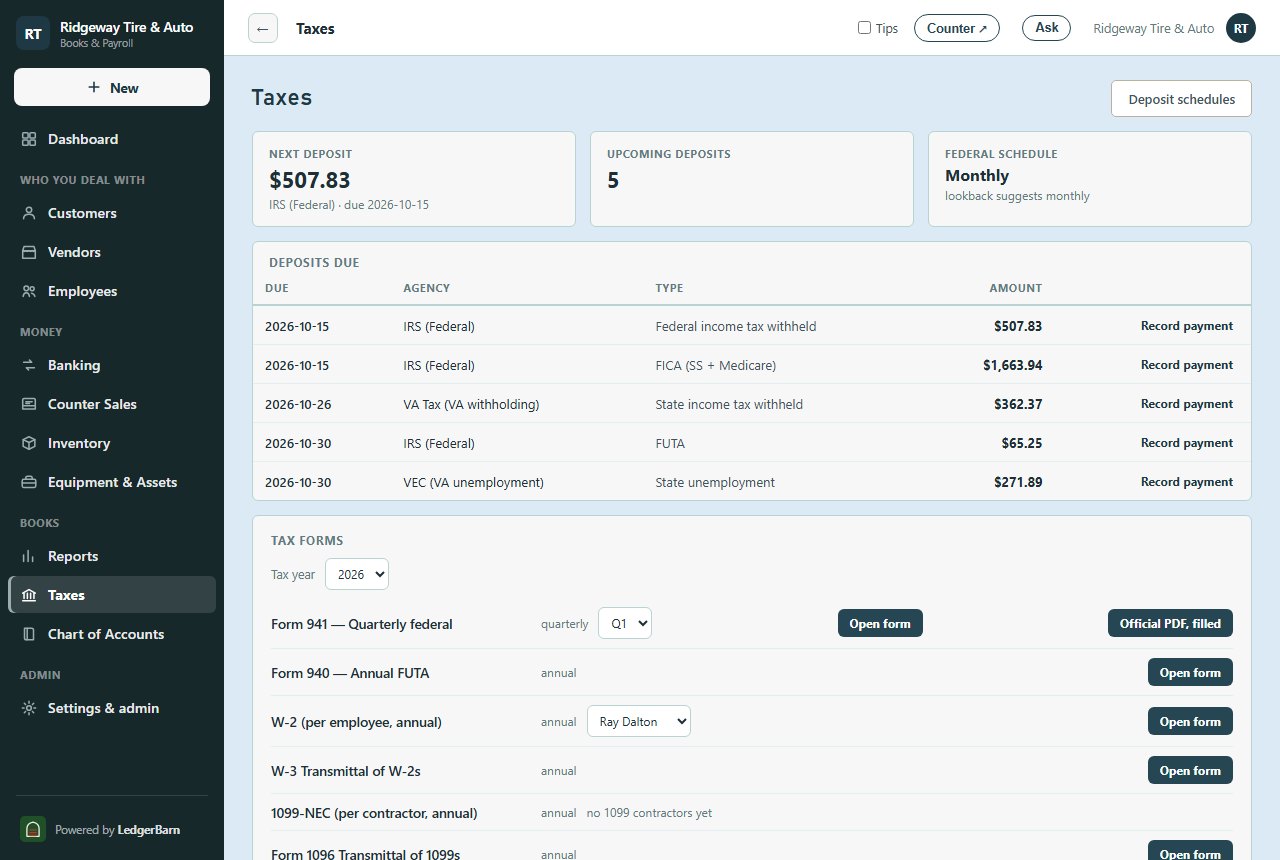
Each payday puts what you owe into a payroll liabilities account; the deposit calendar says when and how much; recording the payment clears it. The register still matches the bank line for line.

Forms filled, paystubs itemized

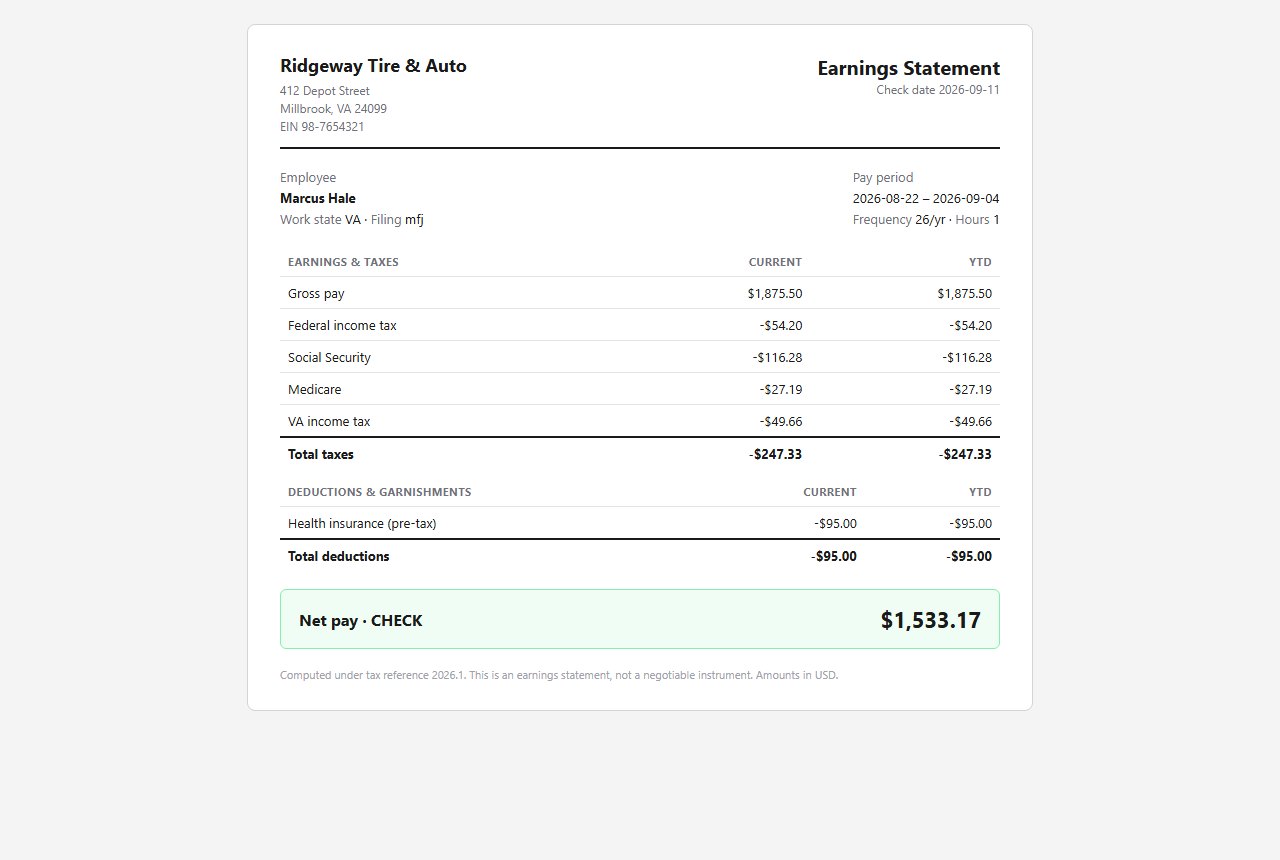
Forms 941, 940, W-2, W-3, 1099-NEC, and 1096 are filled from your pay runs. Paystubs break out every tax and deduction, current and year to date, with an employee portal to fetch them.

Reports your accountant will take

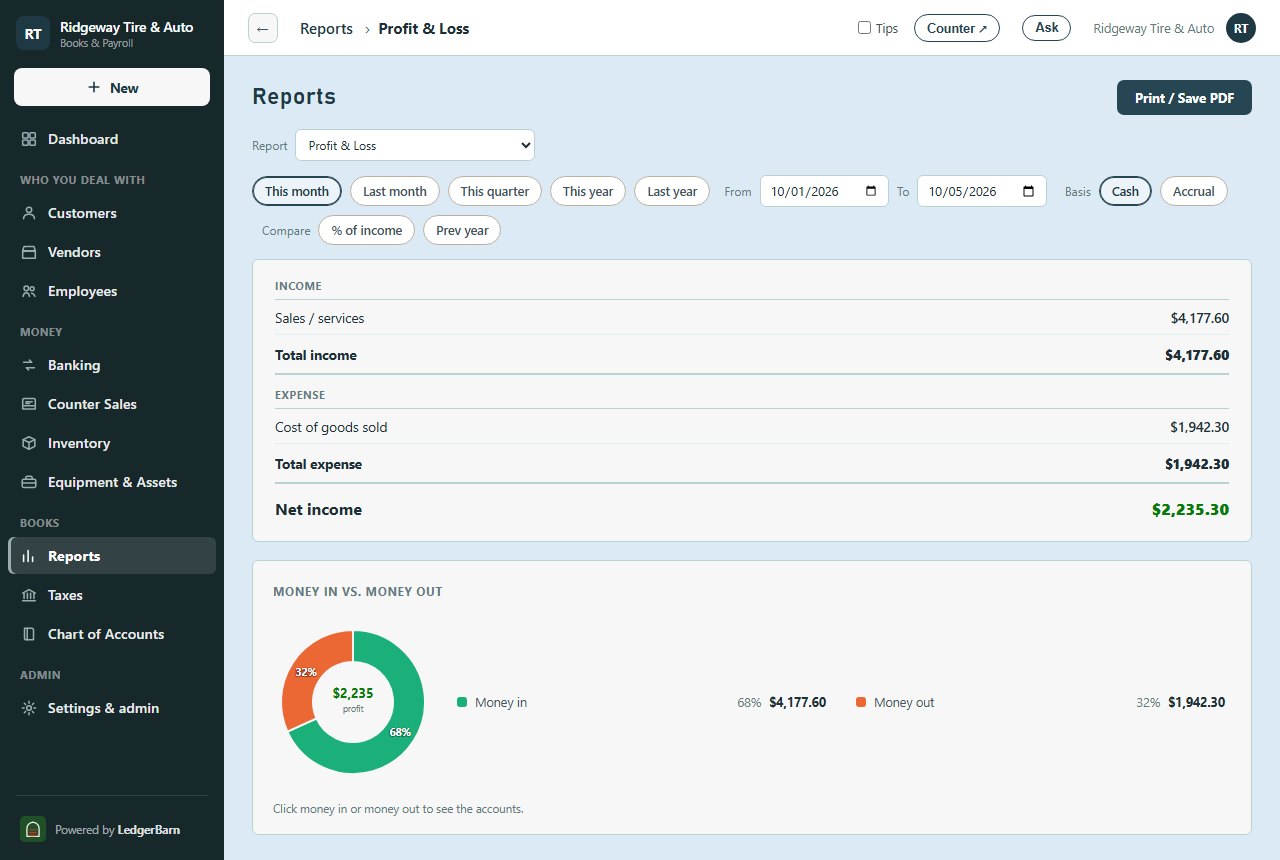
Profit & loss and balance sheet on cash or accrual basis, compared to last year or as a percent of income; a journal entry window for the accountant’s adjustments; and an export of every table, any time.

A real, working business

See the whole business in one place.

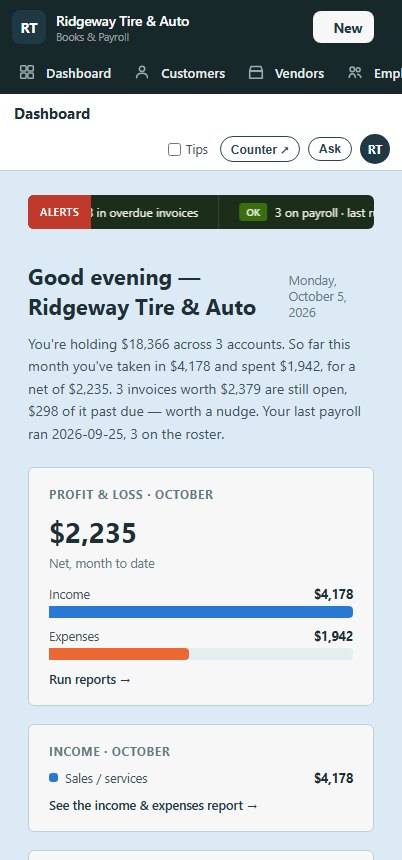
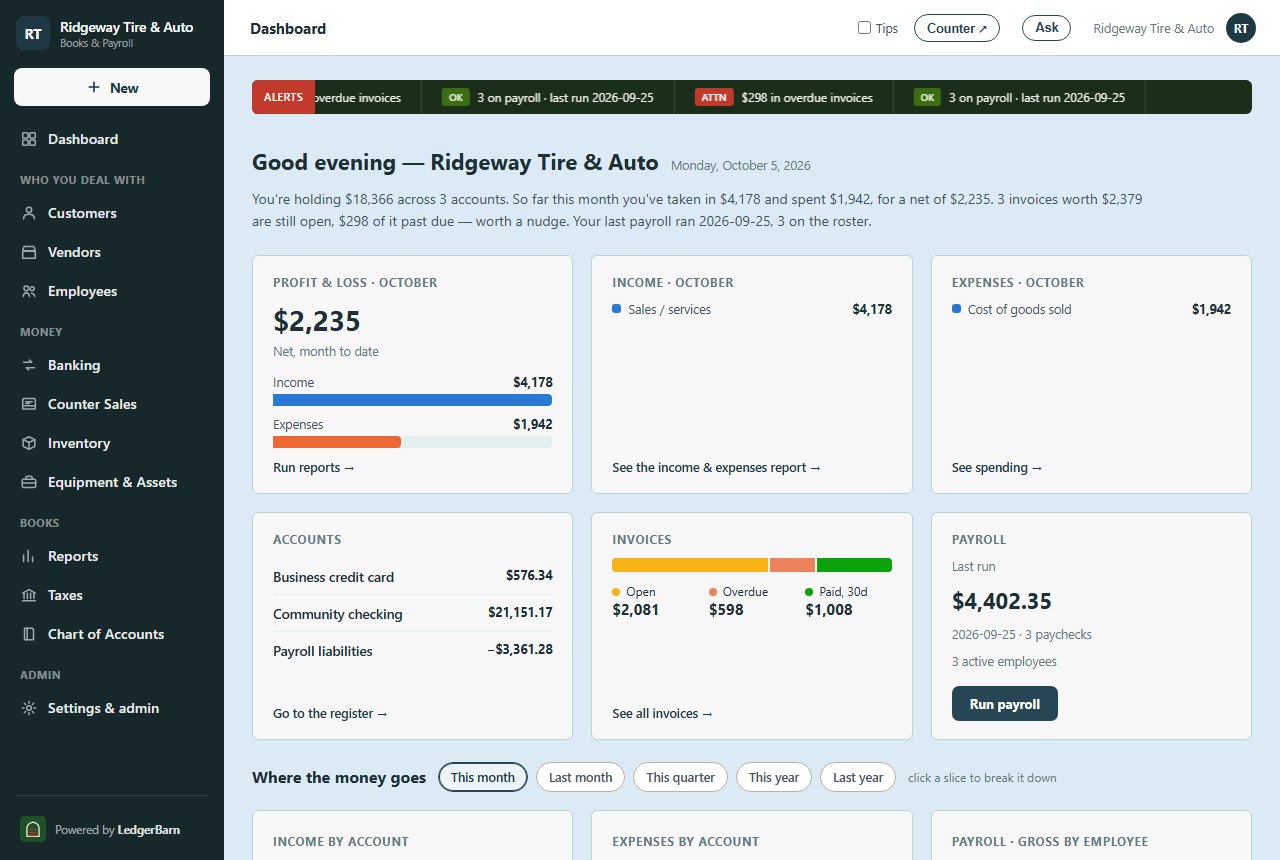
These are real screens from a LedgerBarn set up for a small tire shop: the customers, the books, and the payroll under one roof. Your instance looks exactly like this, in your name and colors.
LedgerBarn Small Business Edition on a phone

In your pocket, at the counter.

LedgerBarn installs to your phone’s home screen as an app in your business’s colors, no app store. Check who owes you, ring up a counter sale, or snap a receipt from wherever you are.

Start free: books free through January 31
Your binder, readable

Load your manuals. Ask from the bay.

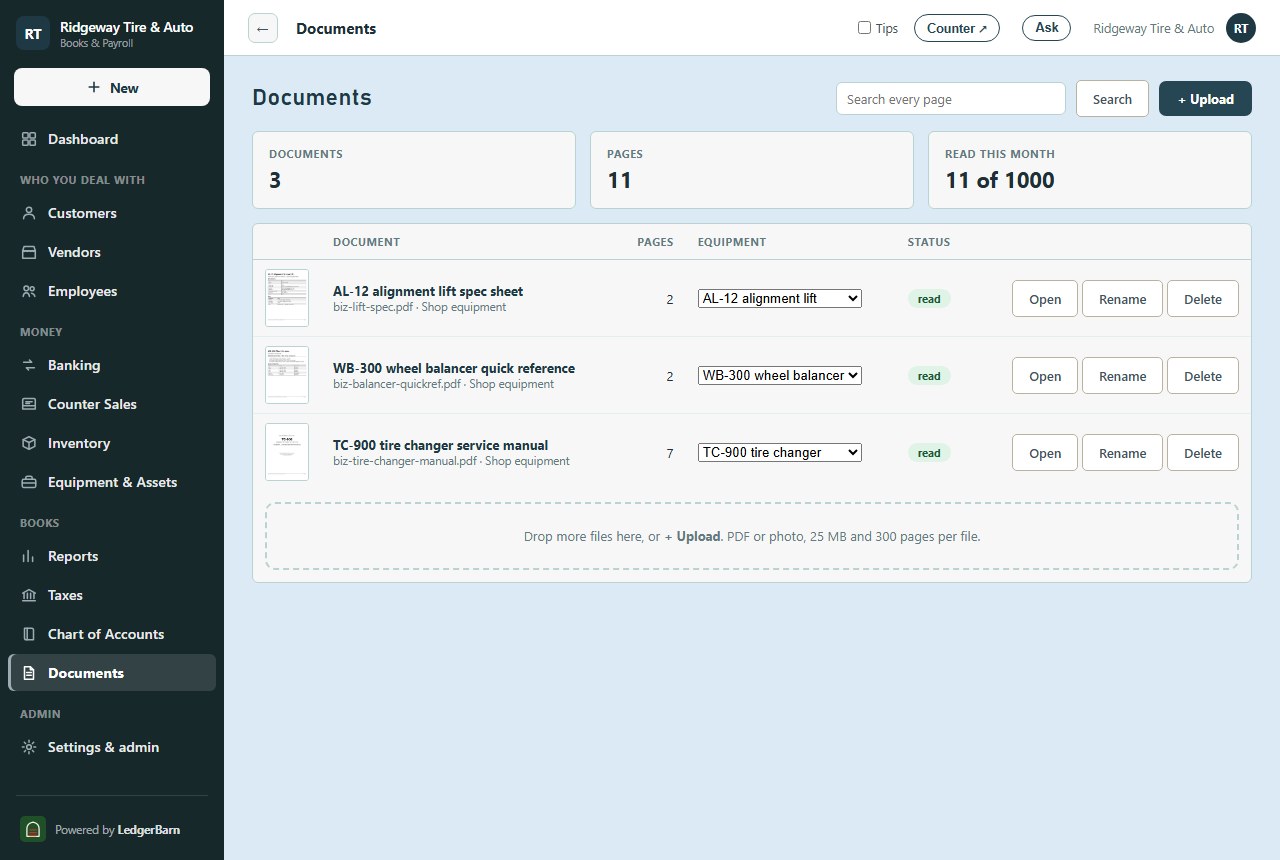
The tire changer’s service manual, the balancer’s error codes, the lift’s anchor-bolt torque, a vendor contract, the lease, the insurance policy: upload them once, then ask in plain words.

ridgewaytire.ledgerbarn.com
The Documents screen: manuals, spec sheets and a quick reference, uploaded and read
ridgewaytire.ledgerbarn.com
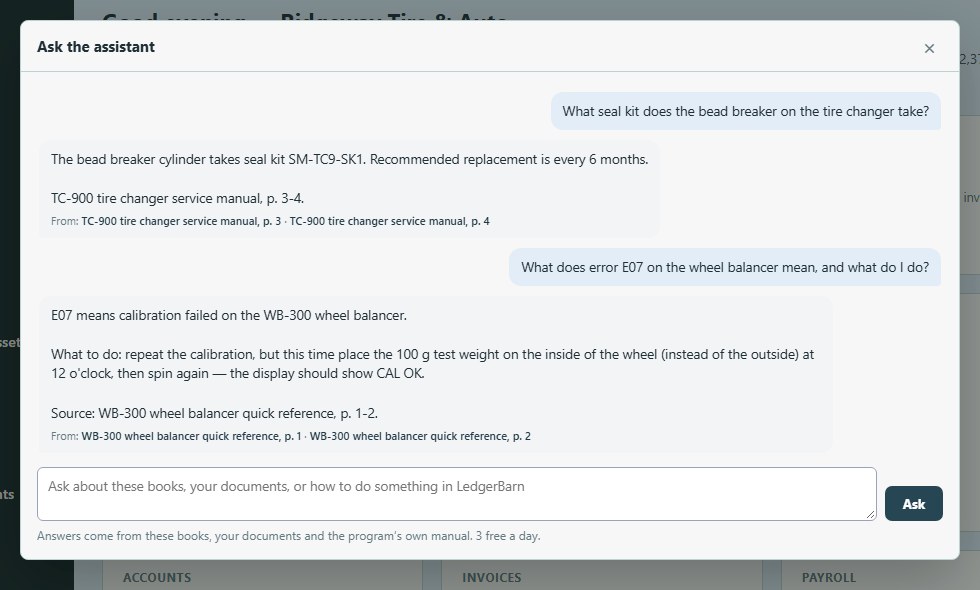
The assistant answering a parts question from the service manual, with the page it came from

Load it once

Service manuals, parts lists, equipment spec sheets, chemical labels, vendor contracts, the lease, the insurance policy, or a photo of a spec plate. Up to 25 MB and 300 pages a file. Tie a manual to its machine under Equipment & Assets, or put it in a folder.

Ask from the bay

“What seal kit does the bead breaker take?” “What does E07 on the balancer mean?” “What torque on the lift’s anchor bolts?” The assistant finds the page, reads it, and answers with the number and the page it came from. On a phone, under the lift.

Pictures and tables too

A reader goes through every page once, diagrams and tables included, so a part number that only appears in a figure is still found. When it matters, the assistant looks at the page itself before answering, and it never guesses a part number. Every plan includes 1,000 pages of reading a month. Re-uploading a file is free.

Why LedgerBarn

Not another subscription stack.

Small businesses end up with one app for invoices, another for the books, a payroll service with a per-employee fee, and a shoebox. Here is what changes when it is all one system.

Books and payroll, one price

Most small-business software sells you the books, then charges a payroll base fee plus a fee per employee on top. LedgerBarn is one flat price per business, every employee included.

The words you already know

Write Check, Make Deposit, Receive Payment, Reconcile, Enter Bills, Pay Bills. If you ran QuickBooks Desktop, you already know where everything is.

Payroll that is actually right

Every paycheck is computed by an engine verified to the cent against an independent payroll reference, and the deposit calendar tells you what to send each agency and when.

It’s yours, down to the name

The whole app wears your business’s name, logo, and colors, not ours. Your books live in their own isolated database with their own encryption key, and you can download every table and the database itself any time.

Specialties are a switch, not a product

A tire shop’s counter and time clock, sales tax by code, a credit card with cardholder cards: turned on in Preferences when you need them, out of the way when you don’t.

Nothing to wire together

Invoicing, bills, bank matching, payroll, tax forms, and reports already share one set of books. No connectors, no sync, no second subscription.

Simple pricing

One plan. Free through January 31, no card.

Flat monthly price per business, every employee included. Cancel anytime. Start by December 31 and it’s free through January 31, 2027 — no credit card required.

Everything included
Books & Payroll
$49/mo
Everything a small business needs to keep its books and pay its people.
Twelve months at $49, and we bring your QuickBooks Desktop history across for free (normally $149).
  • Customers, estimates, invoices & statements
  • Counter sales, deposits & undeposited funds
  • Bills, vendors & 1099s
  • Bank statement import: match, add & reconcile
  • Cent-verified 2026 federal + NC/VA/TX/FL/SD/MI payroll
  • Payroll in another state? Tell us and we’ll set it up
  • Unlimited pay runs and paystubs; printed checks, or a direct-deposit file you upload to your bank
  • Deposit calendar; 941 / 940 / W-2 / W-3 / 1099 filled on the IRS forms (you file; e-file coming soon)
  • Profit & loss and balance sheet, cash or accrual
  • Your name, logo & colors; your data in one file, any time
  • Built-in assistant: ask about your books, your manuals, or how to do anything (included)
  • Your binder: manuals, labels and spec sheets, read and asked about
  • Flat price — every employee included, no per-head fees
Add-ons & Multi-location
Let's talk
Shop integrations and more than one location.
Contact sales
  • Point-of-sale & time-clock integrations (tire shops today)
  • Receipt reading past 100 a month
  • Multiple locations or companies
  • QuickBooks cutover & data migration
  • Priority support

Payroll: LedgerBarn does

  • Figures every paycheck, tax and deduction to the cent
  • Prints the checks, or builds the direct-deposit file for your bank
  • Fills the 941, 940, W-2, W-3 and 1099-NEC on the IRS’s own forms, and lays out the NC and VA returns box by box
  • Tells you each tax deposit’s amount and due date, with screen-by-screen steps for EFTPS and the state websites

You do

  • Look over each pay run before it posts
  • Upload the direct-deposit file in your bank’s online banking, or hand out the checks
  • Send the tax deposits (EFTPS and the state sites)
  • File the returns — e-filing from LedgerBarn is coming soon

Prices in USD, billed monthly. You remit your own tax deposits — we show you exactly when and how much. E-filing from LedgerBarn is coming soon. Add-ons are billed separately.

Up and running fast

From sign-up to your own branded books in minutes.

Start the trial

Your business name and email — no card.

We set up your site

Your own address, your logo and colors, your isolated books — ready in minutes.

Tell it about the business

Your bank balance as of a date you choose, then customers, vendors, and employees — and you’re running.

Good to know

Questions, answered.

Which states do you do payroll for?

Federal plus North Carolina, Virginia, Texas, Florida, South Dakota and Michigan are set up today, and we set up other states on request: email sales@ledgerbarn.com with the state you need and we’ll add it. Bookkeeping and invoicing work anywhere in the US.

Do you file and pay my taxes?

LedgerBarn computes everything to the cent, fills the forms (941, 940, W-2, W-3, 1099-NEC, 1096), and shows you exactly when and how much to deposit. You submit the forms and send the payments yourself, then record them here so the books stay right. E-filing from LedgerBarn is coming soon; we’re working on it.

How does direct deposit work?

LedgerBarn builds the direct-deposit file (an ACH file) for each pay run. You upload it in your bank’s online banking and the bank pays your employees; most business banks offer this, and some need to switch it on for you first and may charge for it. LedgerBarn does not move money itself. Printed checks work too.

Can I move from QuickBooks?

Yes. Start the books on a date you choose with opening balances from your last statements, bring in your customers and vendors, and keep QuickBooks open beside it until you are comfortable. We help with the cutover.

Is my data safe?

Every business gets its own isolated database and its own encryption key; SSNs and bank details are encrypted at rest (AES-256-GCM). Every business’s books are backed up every night, and the last 14 nights are kept. Your data is yours to download at any time, as spreadsheets or the whole database.

What happens after the trial?

Start by December 31, 2026 and it is free through January 31, 2027, with no card required. Add a card before it ends to keep going; if you don't, the business simply pauses — your data waits for you.

Can I cancel anytime?

Yes — self-serve, no contract. Cancel from your billing portal and you won’t be charged again.

See for yourself

How LedgerBarn compares

Real books, real invoicing, and real payroll in one flat price, with no per-employee fee stacked on top. Here’s the field side by side.

SoftwarePriceBookkeepingInvoices & estimatesPayroll includedFlat price, no per-employee feesYour own brand
LedgerBarn that’s usBooks, invoicing & payroll in one — in your own name and colors. $49/mo✓✓✓✓✓
QuickBooks OnlineThe default. Payroll is a separate subscription: bundles from $88/mo plus $6.50 per employee. $38–$340/mo✓✓add-on✗✗
FreshBooksInvoicing first, with client limits on the lower tiers; payroll add-on $40/mo + $6 per user. $23–$70/mobasic✓add-on✗✗
XeroFull books; payroll is Gusto, $36/mo + $6 per employee. $27–$97/mo✓✓add-on✗✗
WaveFree invoicing and books; payroll is an add-on from $25/mo plus per-employee fees. Free–$19/mo✓✓add-on✗✗
GustoPayroll only — no books or invoicing. $49/mo + $6/person✗✗✓✗✗

Competitor prices & features from each vendor’s own pricing page, checked Oct 2026 — they change, so confirm before you decide. “Basic” = a lighter version of the feature; “add-on” = a separate subscription.

Books, invoicing & payroll — one flat price, every employee included. See LedgerBarn for yourself

Run the whole business from one login.

Start free today. Bring your customers, your bills, and your payroll into one home that wears your name.

Start free: books free through January 31